ECU Check
Check whether your unu Scooter Pro ECU is one of the units that can briefly cut motor power while riding.
Enter your ECU serial number
What is this?
A limited production run of unu Scooter Pro motor controllers (ECUs) was built with a manufacturing defect. Under certain conditions these ECUs can briefly cut motor power while you are riding, and the dashboard shows "Electrical Issues - Please stop driving".
What it looks like
- A short loss of acceleration, roughly one to two seconds
- "Electrical Issues - Please stop driving" on the dashboard
- The scooter coasts - it does not brake or stop suddenly
- Power returns by itself and the message clears
When it can happen
- The main battery is low - roughly 30% to 20%, depending on temperature
On an affected ECU this happens pretty much every time the battery gets that low.
Where to find the ECU serial number
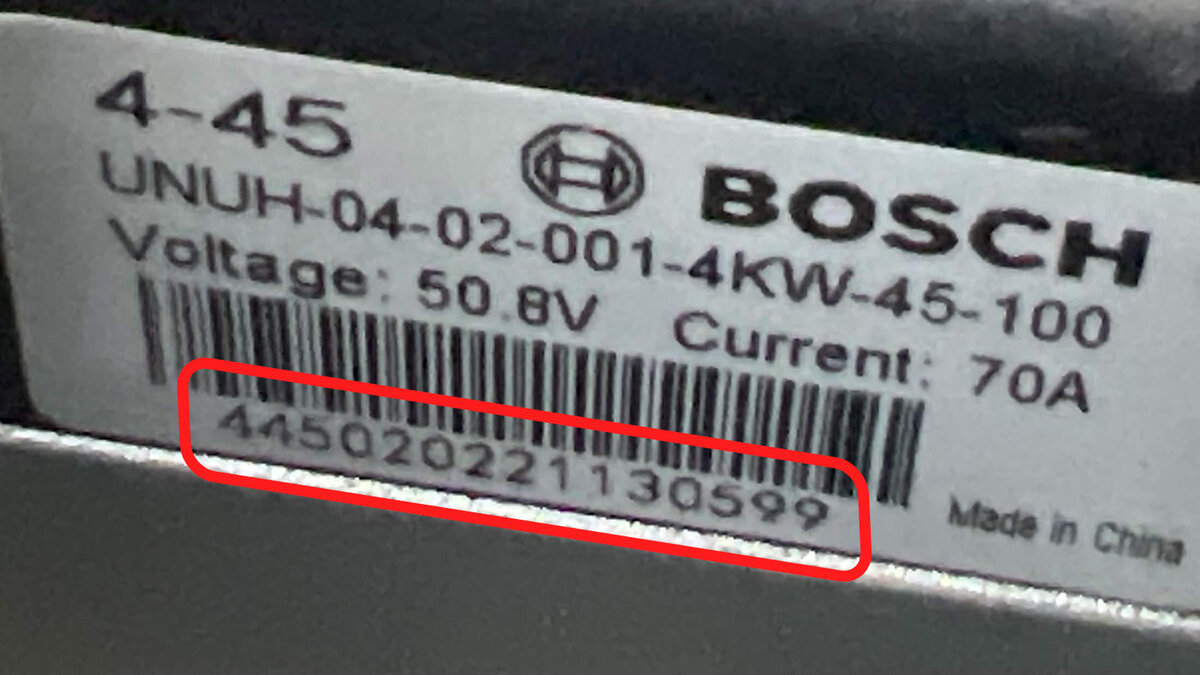
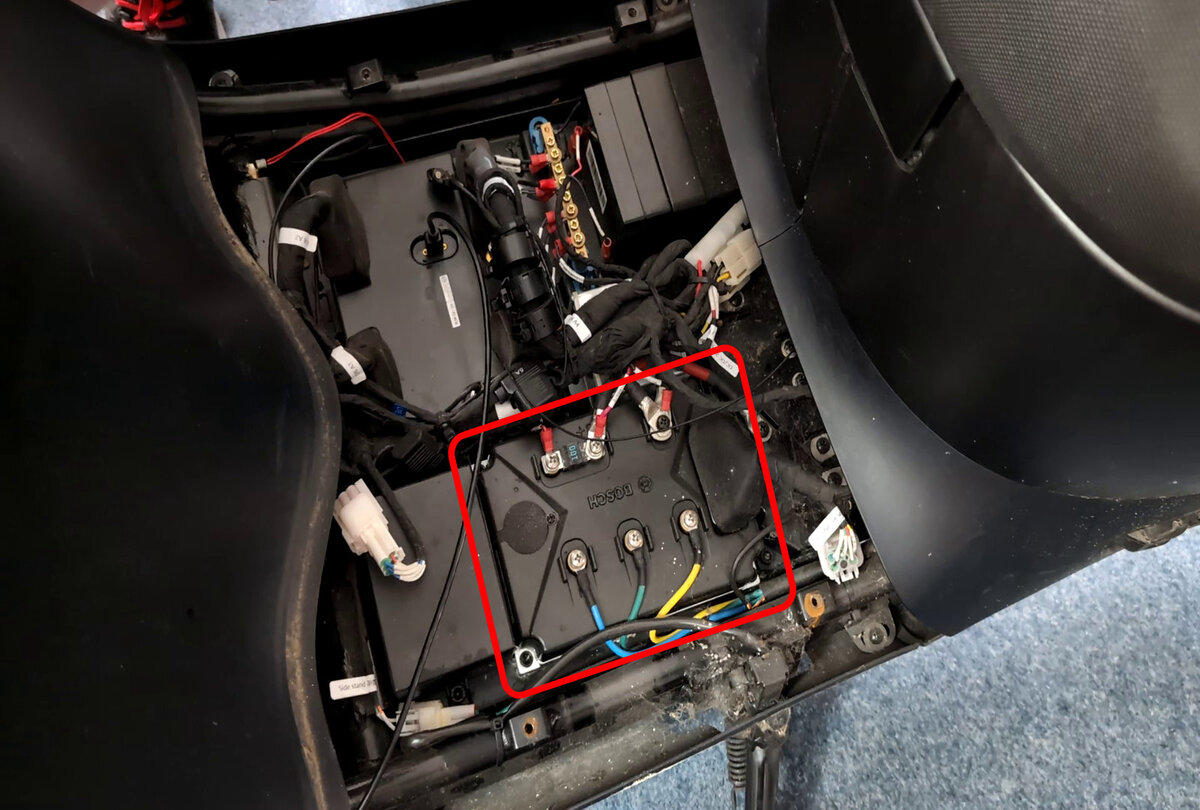
The ECU is the controller in the footwell, under the cover. Its label is partly hidden by the small battery box (CBB) beside it.
- 1 Park the scooter, switch it off and lift out the footwell cover (four PH2 or H4 screws).
- 2 Remove the H5 bolts holding the CBB down and nudge it out of the way. Do not disconnect it, and be careful not to rip a cable.
- 3 Read the 15-digit number printed under the barcode on the ECU label, next to "S/N".
- ! The ECU itself is held by four H5 bolts. If you undo those instead, make sure the scooter has no power before you touch it.
Before you start
Only do this if you are comfortable working on your scooter, with the scooter parked and switched off. Never disconnect or work on the ECU while power is connected. If you are unsure, ask a garage to read the serial number for you. You do this at your own risk.